
Archive Data
Archive Data
OddsLogic provides access to historical schedules, odds, and scores through the Yesterday and Archive options.
Accessing Historical Data
Accessing Historical Data
- Open the League dropdown.
- Select one of the following:
- Yesterday – Quickly opens the previous day's schedule.
- Archive – Opens a calendar where you can select any available date.
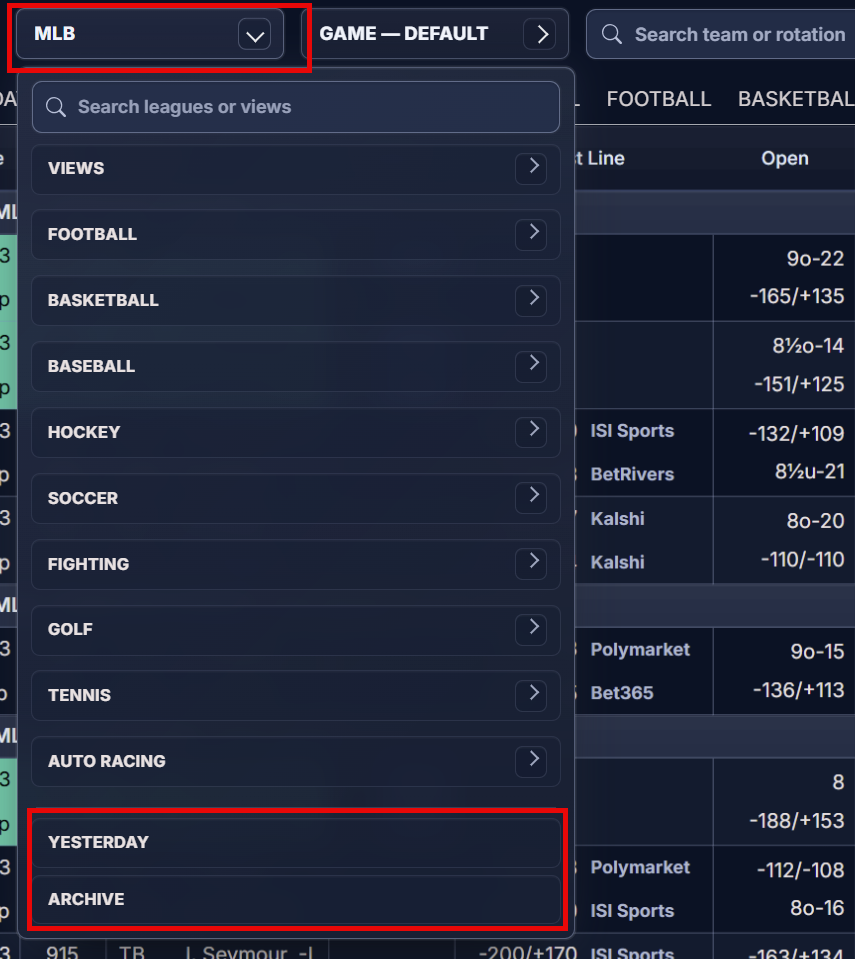
After selecting a date, OddsLogic opens a new window containing a snapshot of the data for that day.
What You Can Do
What You Can Do
Within the Archive window, you can:
- Browse your Views
- Switch between Leagues
- View the schedule, odds, and scores for the selected date
- Open Line History for any event to review how the market moved throughout the day
Viewing Another Date
Viewing Another Date
The Archive window displays a single day's data.
To view a different date, return to your active OddsLogic session, select Yesterday or Archive again from the League dropdown, and choose a new date.