

Create Focused Betting Boards withCustom Views
Create Focused Betting Boards with
Custom Views
While league-based Views are great for monitoring entire sports, sometimes you only want to follow a handful of games.
Custom Views allow you to create a personalized board containing only the events you choose, regardless of league or sport.
Whether you're tracking games you've wagered on, monitoring key matchups throughout the day, or building a watchlist for live betting, Custom Views help eliminate distractions and keep your focus on the events that matter most.
Popular uses for Custom Views include:
- Games you've already bet
- Live betting watchlists
- Featured games for content creation
- Tracking line movement on selected matchups
- Building a personalized daily betting board
With Custom Views, you decide exactly what appears on your screen, creating a cleaner and more efficient betting workflow.
Learn More:
Create a New View
Create a New View
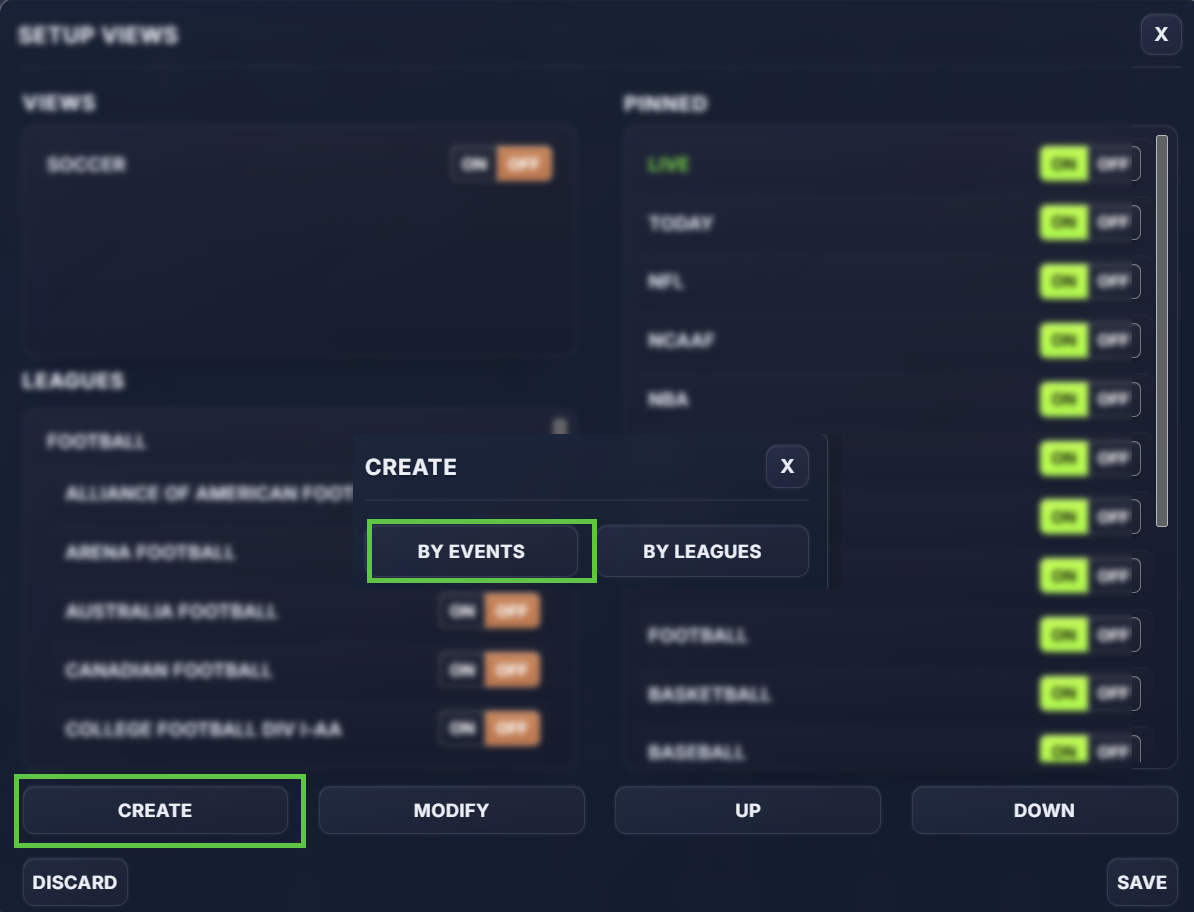
- Click the Gear ⚙️ icon
- Click Views
- Click Create
- Select By Events
Select a League
Select a League
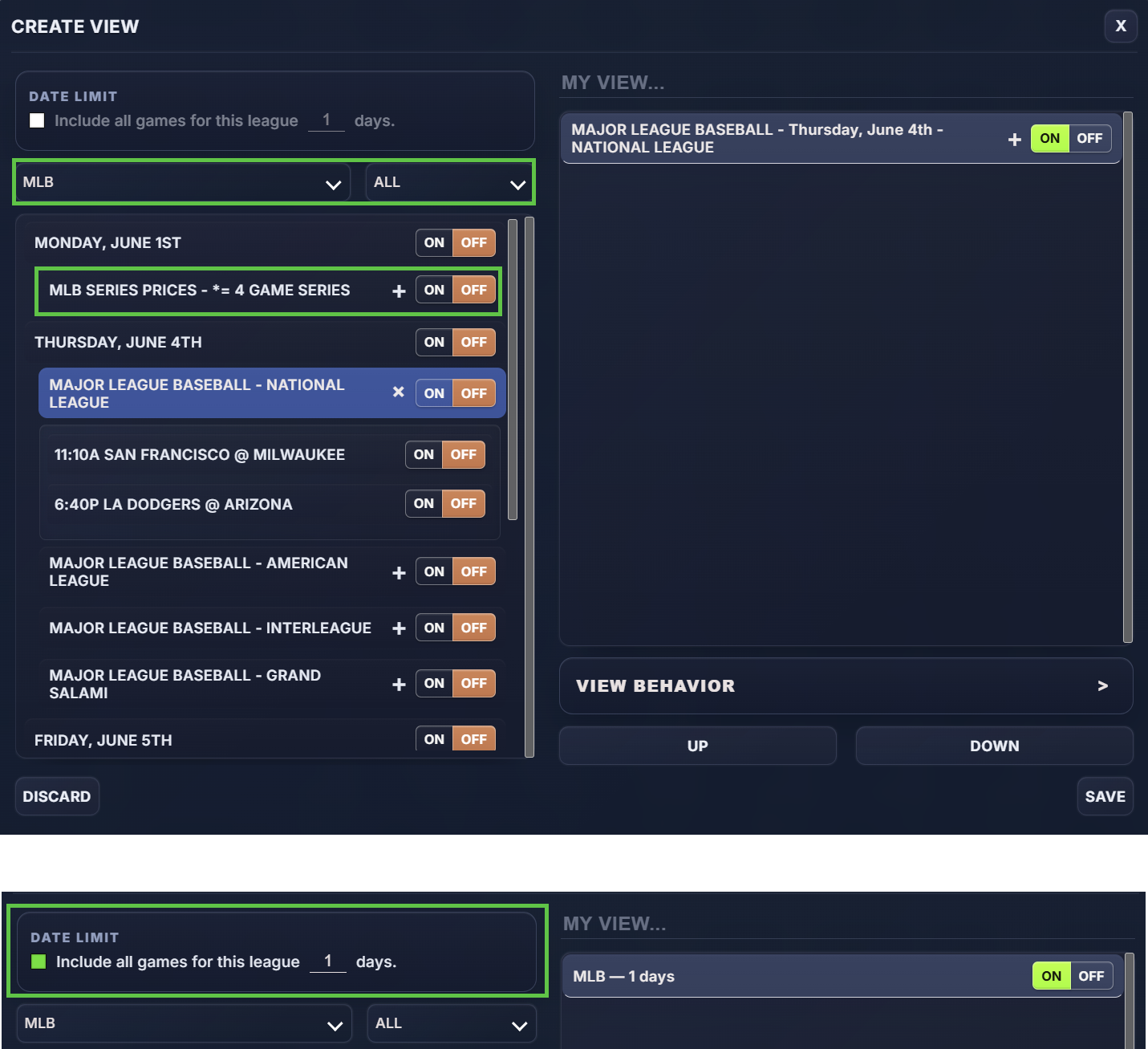
To begin, choose the league you want to pull events from. Once a league is selected, you can filter the available events by date to quickly find the games you want to add.
Add Games to Your View
Add Games to Your View
After selecting a league and date, you can add events in two ways:
- Add all games for that date Quickly include every event listed for the selected league and date.
- Add individual games Expand the league and toggle on only the specific matchups you want included.
After games are added, you can reorder them inside your Custom View so the most important events appear where you want them.
Automatically Include Upcoming Games
Automatically Include Upcoming Games
For a more dynamic setup, use the 'Include all games for this league for X days' option.
This will automatically add games from that league to your Custom View each day based on the rolling number of days you select.
For example, if you select a league and choose 1 day, that View will automatically show that league’s games for the current day without requiring you to manually add them each morning.
Customize View Behavior
Customize View Behavior
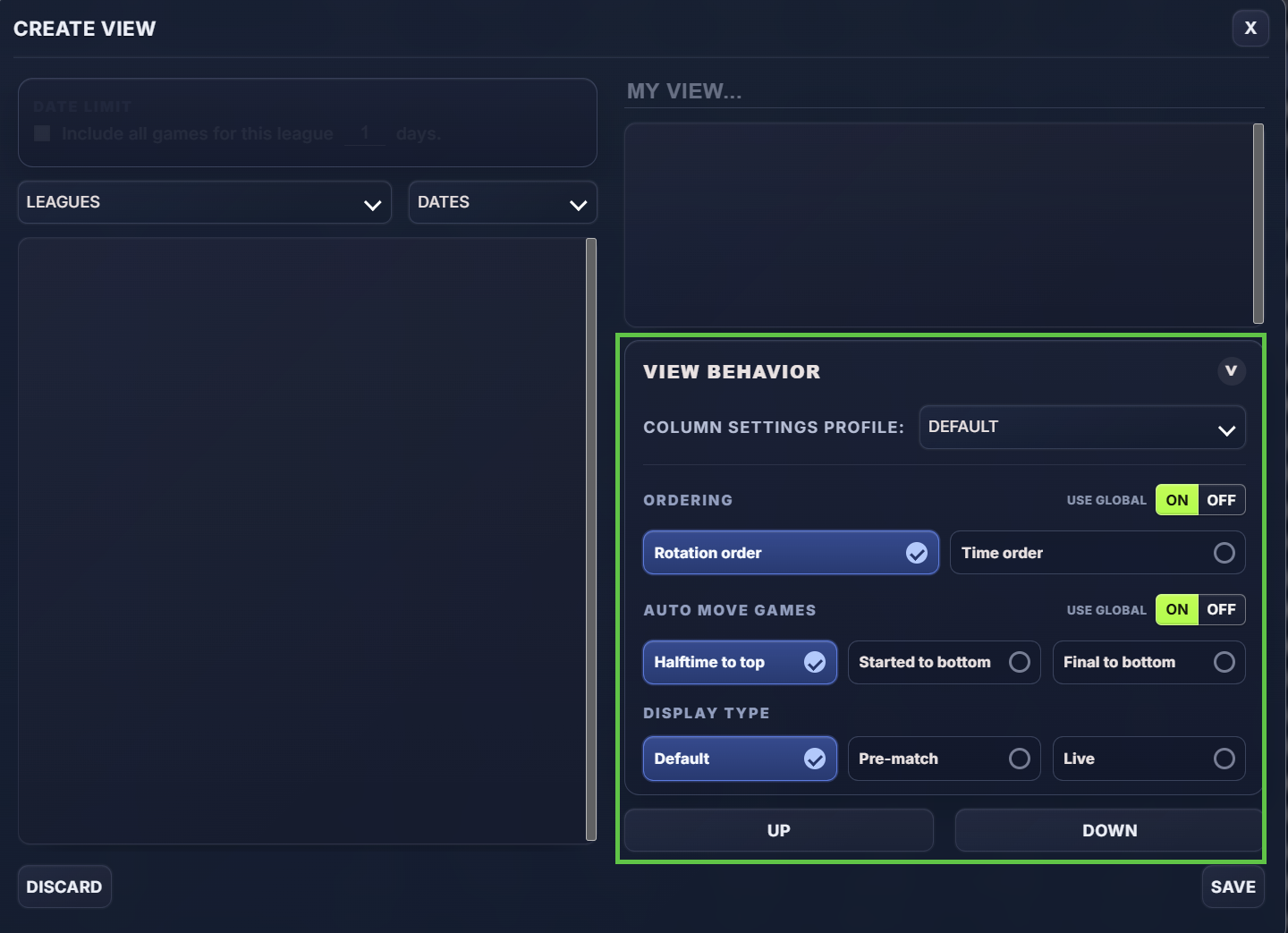
Each Custom View can also have its own behavior settings. These settings apply only to that View and override your system defaults.
You can set:
- Column setting profile
- Event ordering
- How started and halftime games are handled
- Pre-match or live display mode
If you do not set View-specific behavior, the View will use your default system settings.
Name and Save the View
Name and Save the View
Once your events and behavior settings are configured, give the View a name.
Examples:
- My Bets
- Games to Watch
- Live Targets
- Today’s NBA
Then save the View and pin it if you want quick access from the top of your OddsLogic screen.
Why Views Matter
Why Views Matter
OddsLogic delivers a large amount of real-time market data.
Views help you:
- Reduce noise
- Focus on the games that matter most
- Build faster betting workflows
- Organize your screen around your personal betting style
Whether you monitor one league or multiple sports simultaneously, Views allow you to customize OddsLogic to fit the way you work.