
Organize Your Screen withLeague Views
Organize Your Screen with
League Views
Creating a League View
Creating a League View
League Views are the fastest way to organize your OddsLogic screen around the sports and leagues you follow most.
Unlike Custom Views, where you select individual games, League Views automatically display all events from the leagues you choose. You can combine leagues from any sport into a single View, allowing you to build personalized betting boards that match your workflow.
For example, a single View could contain:
- NFL and NBA
- MLB and NHL
- NFL, NCAAF, and UFL
- Any combination of leagues across multiple sports
Learn More:
Create a New View
Create a New View
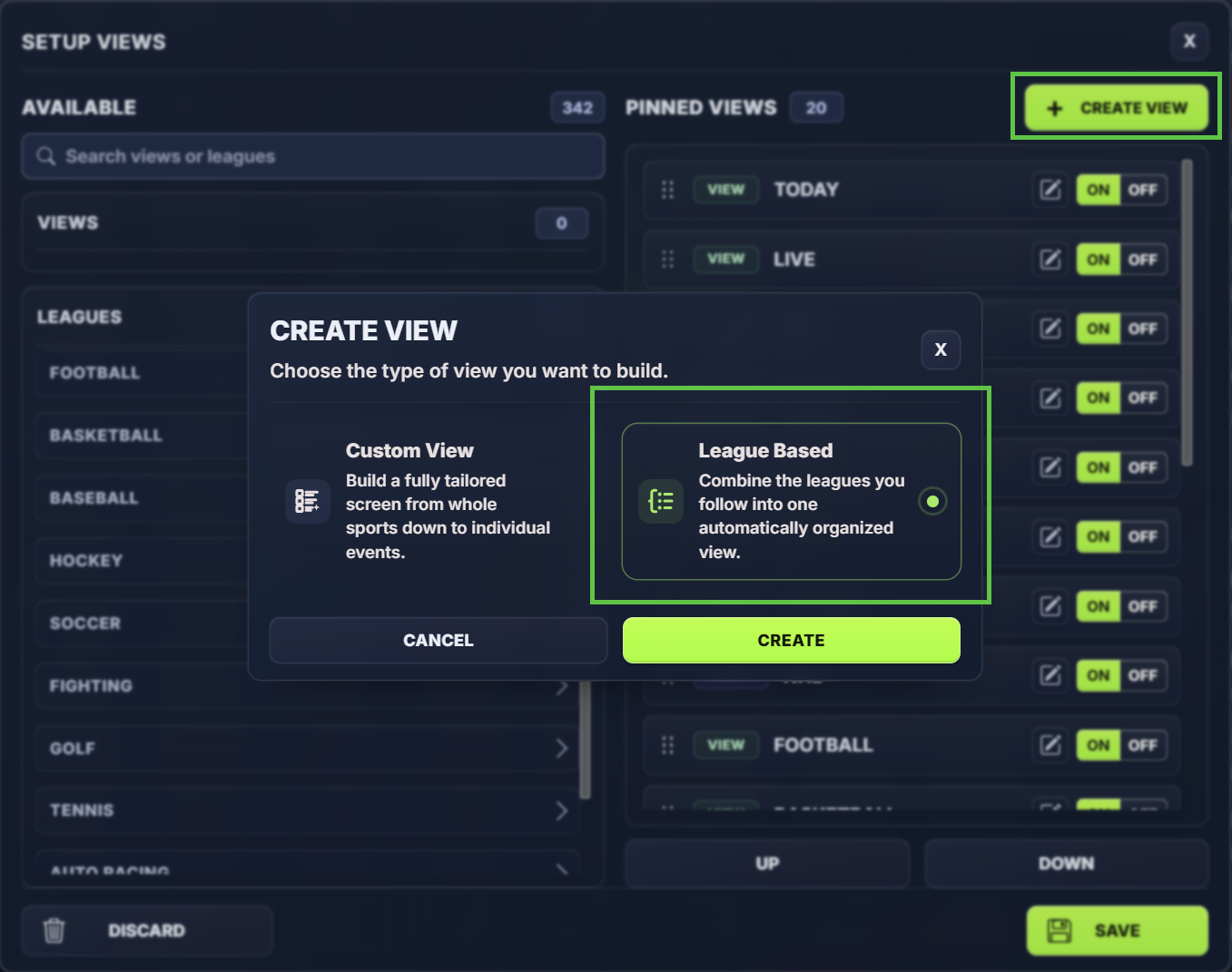
- Click the Gear ⚙️ icon
- Click Views
- Click Create View
- Select League Based
- Click Create
Select Leagues
Select Leagues
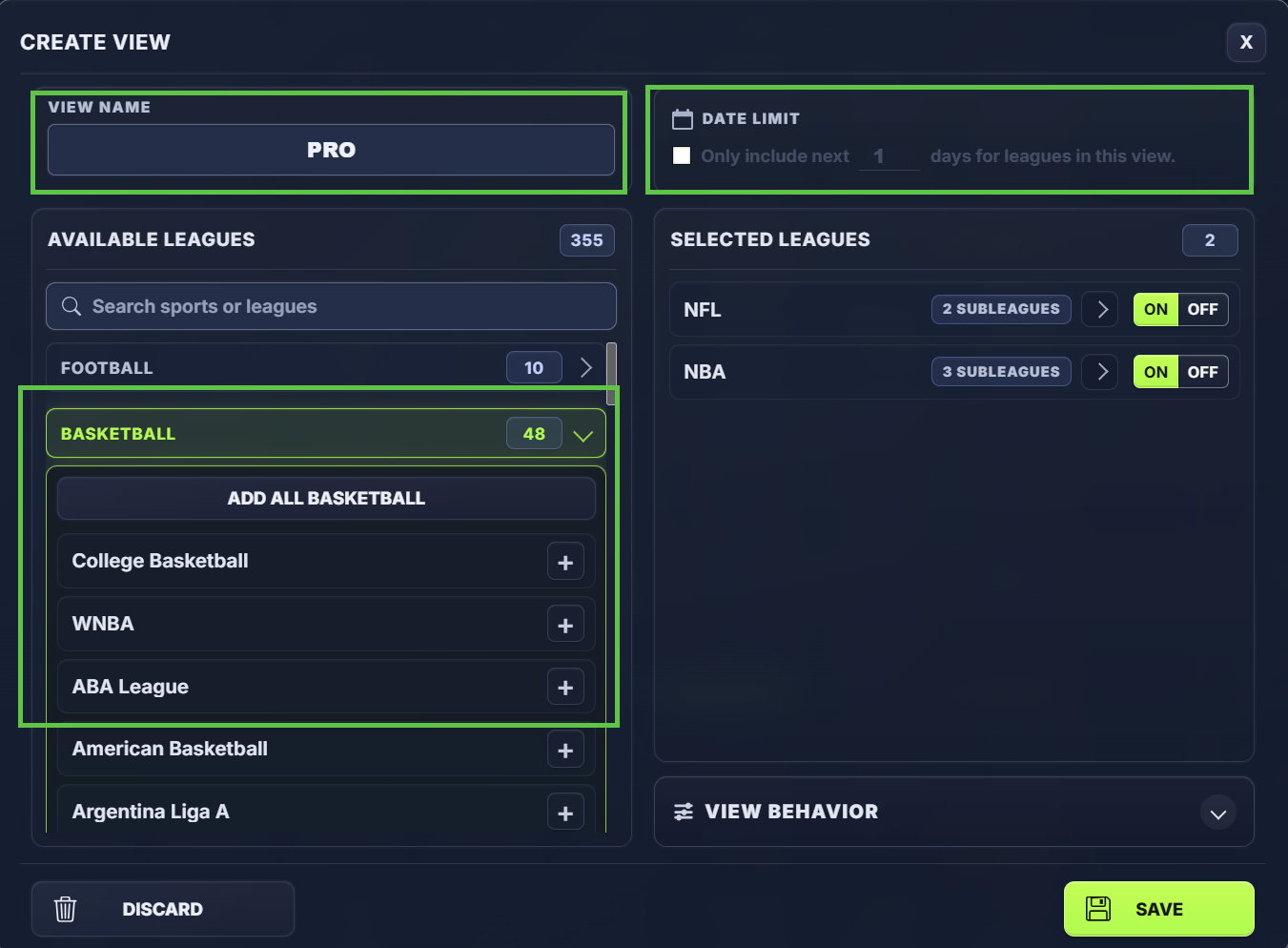
To begin, expand the sports categories and select the leagues you want to include in your View.
As leagues are added, they will appear in the View panel on the right side of the screen.
You can mix and match leagues from any sport to create the exact screen you need.
Date Limit
Date Limit
For a more focused setup, enable the 'Only include next X days for leagues in this view' option.
This setting automatically limits the View to games occurring within the number of days selected.
For example:
- 1 Day = Today's games only
- 2 Days = Today's and tomorrow's games
- 7 Days = Games scheduled over the next week
The View will automatically update each day, making it a great option for users who want a clean, current betting board without manually managing events.
Customize View Behavior
Customize View Behavior
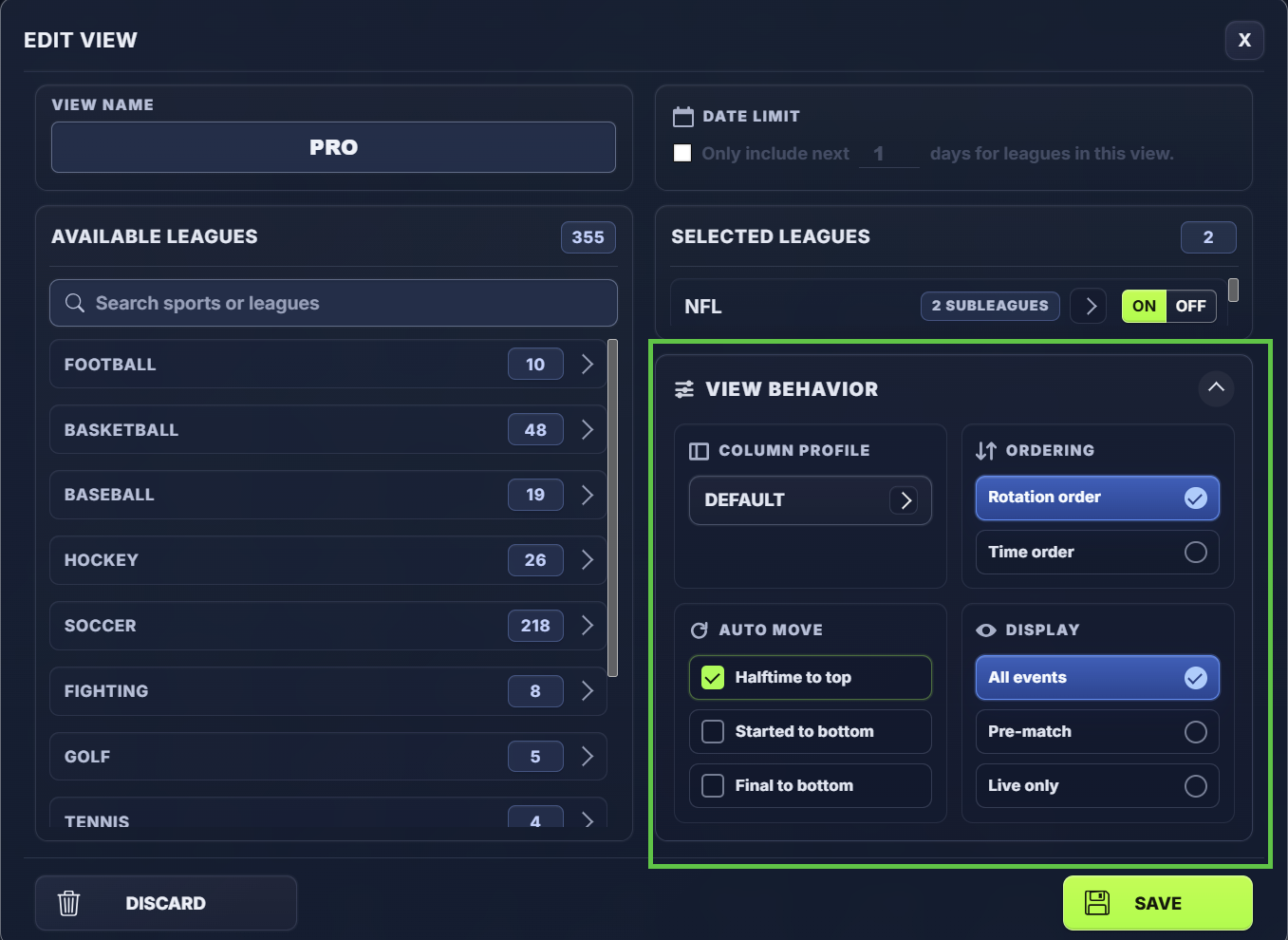
Each Custom View can also have its own behavior settings. These settings apply only to that View and override your system defaults.
You can set:
- Column setting profile
- Event ordering
- How started and halftime games are handled
- Pre-match or live display mode
If you do not set View-specific behavior, the View will use your default system settings.
Name and Save the View
Name and Save the View
Once your events and behavior settings are configured, give the View a name.
Examples:
- Football
- Daily Board
- NFL + NBA
- Weekend Action
- Live Betting
Then save the View and pin it if you want quick access from the top of your OddsLogic screen.
Customizing Leagues & Sub-Leagues
Customizing Leagues & Sub-Leagues
Many leagues in OddsLogic contain sub-leagues that can be enabled or disabled independently.
For example, the NBA may include:
- NBA Games
- NBA Summer League
- NBA Write-In Games
- NBA Series Prices
This gives you additional control over what appears in your Views.
Global League Settings
Global League Settings
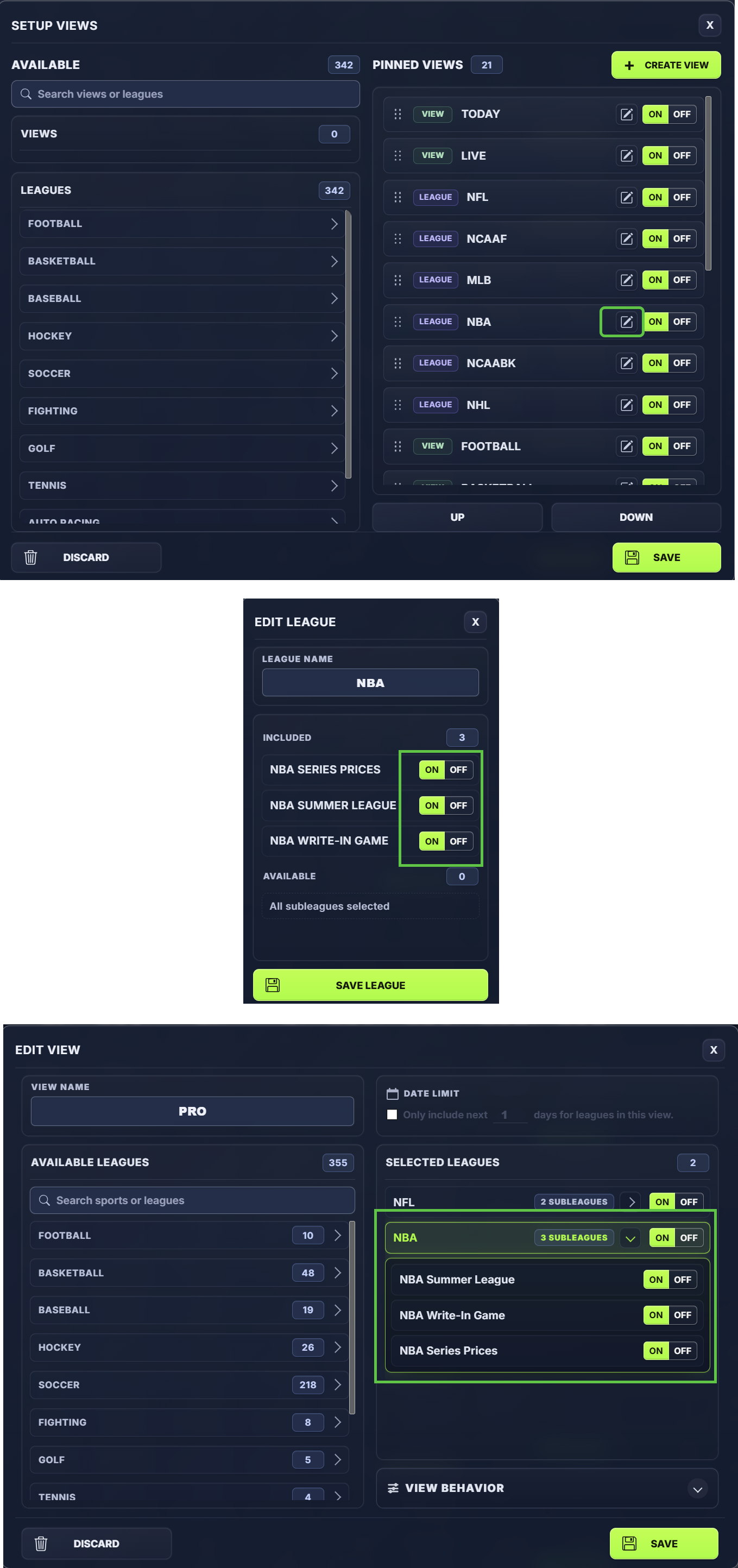
To edit a league globally:
- Open Views Setup
- Click the Edit icon on the veiw you want to update
Changes made here apply everywhere that league is used.
For example, if you disable NBA Series Prices at the league level, they will be removed from all Views that contain the NBA.
League settings can also be used to:
- Enable or disable sub-leagues
- Rename leagues to match your preferences
This is useful when you want a permanent configuration that applies across your entire OddsLogic screen.
View-Specific League Settings
View-Specific League Settings
You can also customize sub-leagues directly within an individual View.
To edit league settings for a specific View:
- Open Views Setup
- Click the Edit icon on the veiw you want to update
- From the Selected Leagues section, expand the league you want to modify
- Enable or disable the desired sub-leagues
Changes made here only apply to that View and do not affect any other Views.
For example:
- In your Today View, you may want NBA games but not NBA Series Prices.
- In your dedicated NBA View, you may want both NBA games and NBA Series Prices displayed.
By configuring sub-leagues at the View level, you can create specialized betting boards for different workflows without changing your global league settings.
When to Use Each Option
When to Use Each Option
Edit the League
- When you want the change applied everywhere
- When you want to rename a league
- When you always want a sub-league enabled or disabled
Edit the View
- When you want different behavior in different Views
- When building specialized screens for specific betting workflows
- When you want a league configured differently depending on the View being displayed
This flexibility allows the same league to be displayed differently across multiple Views, helping you create cleaner and more focused betting boards.
Why Views Matter
Why Views Matter
OddsLogic delivers a large amount of real-time market data.
Views help you:
- Reduce noise
- Focus on the games that matter most
- Build faster betting workflows
- Organize your screen around your personal betting style
Whether you monitor one league or multiple sports simultaneously, Views allow you to customize OddsLogic to fit the way you work.